Independent game technology studio · India

Editor tools for Unity developers.

We build practical tooling for Unity — the release-day work that comes up on every project and gets solved badly, by hand, every time.

Made by developers who ship, for developers who ship.

3+Years in Unity
VR · MR · MobilePlatforms shipped
C#Primary language
2026Founded
Tools

What we are building.

Every tool starts as a problem we hit ourselves while shipping Unity titles to real storefronts — never as a feature list looking for a use.

Screenshot Studio — capture every resolution in one click
Feature-complete

Screenshot Studio

Editor extension · Unity 2022.3 LTS and newer

Capture clean, precisely-sized screenshots without leaving the Unity Editor — one Game View, Scene View or Camera source, any resolution, full control over UI visibility and background transparency.
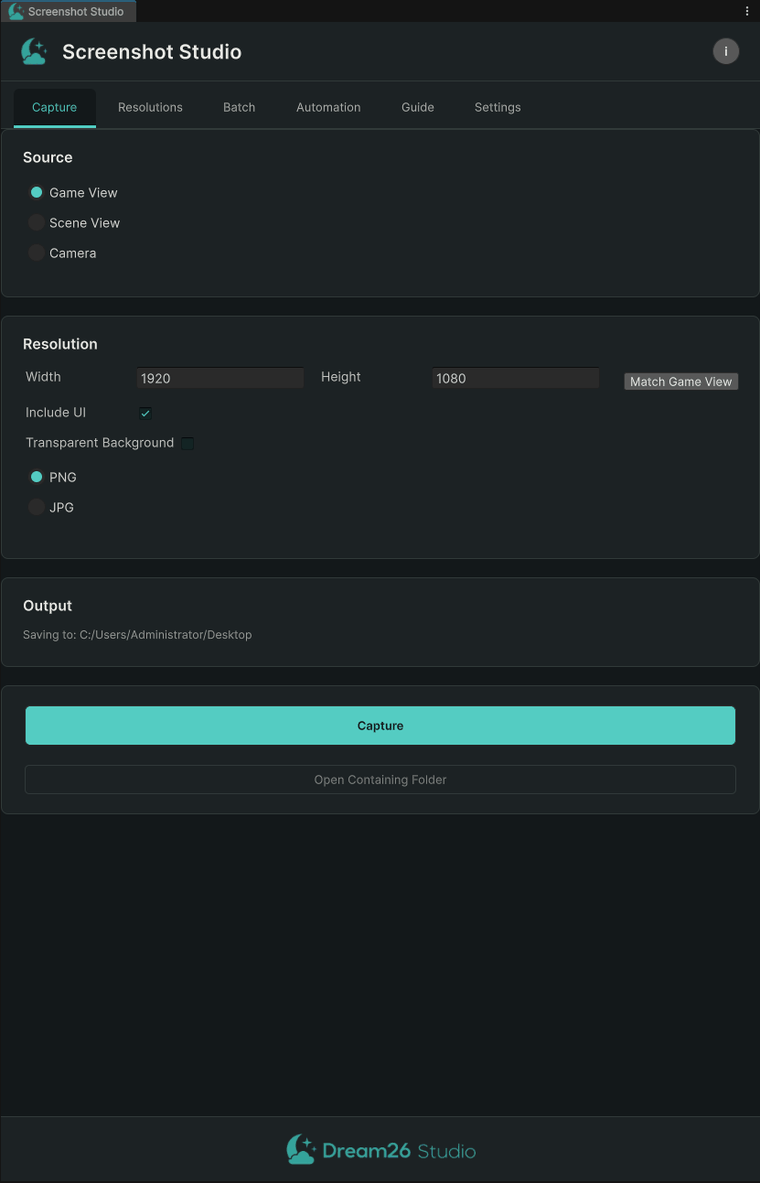
Screenshot Studio Capture tab: choose Game View, Scene View or Camera, set resolution, toggle Include UI and Transparent Background
Choose the source and resolution, toggle UI and transparency, capture — no camera setup, no extra scene objects.
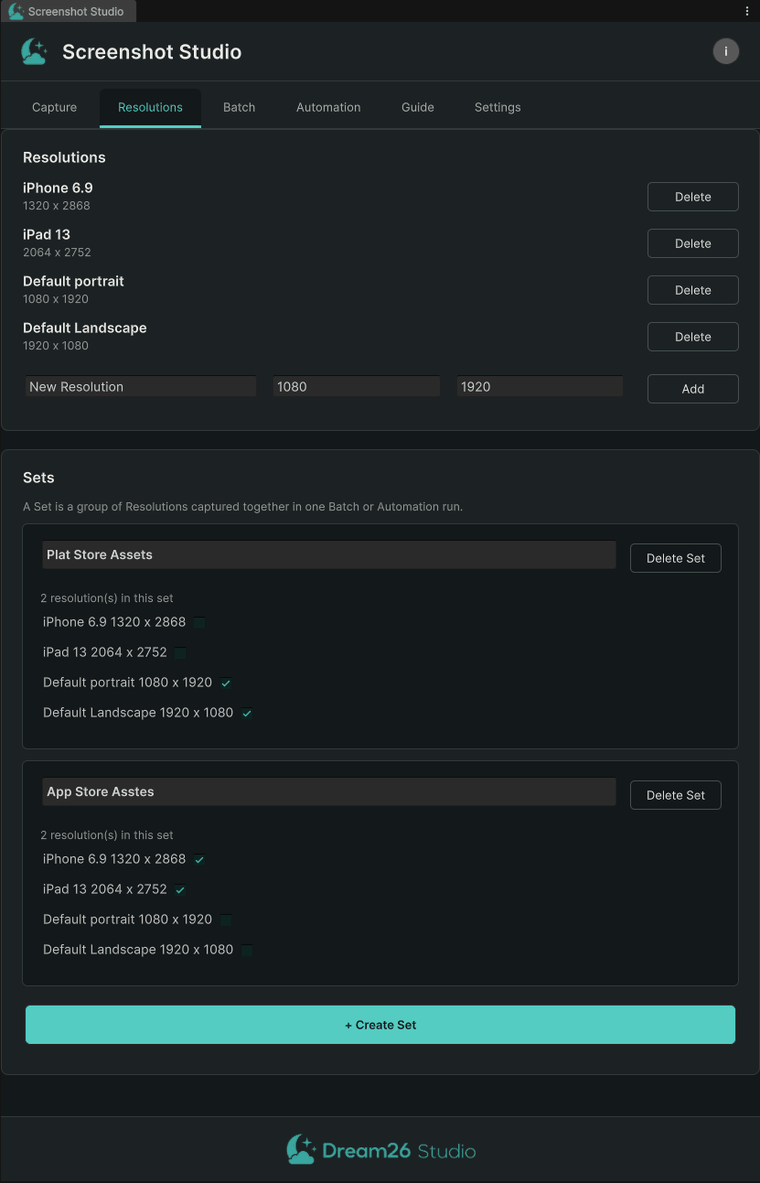
Screenshot Studio Resolutions tab: named resolutions grouped into reusable Sets
Name a resolution once — "iPhone 6.9", "iPad 13" — and group related sizes into Sets for one-click batches.
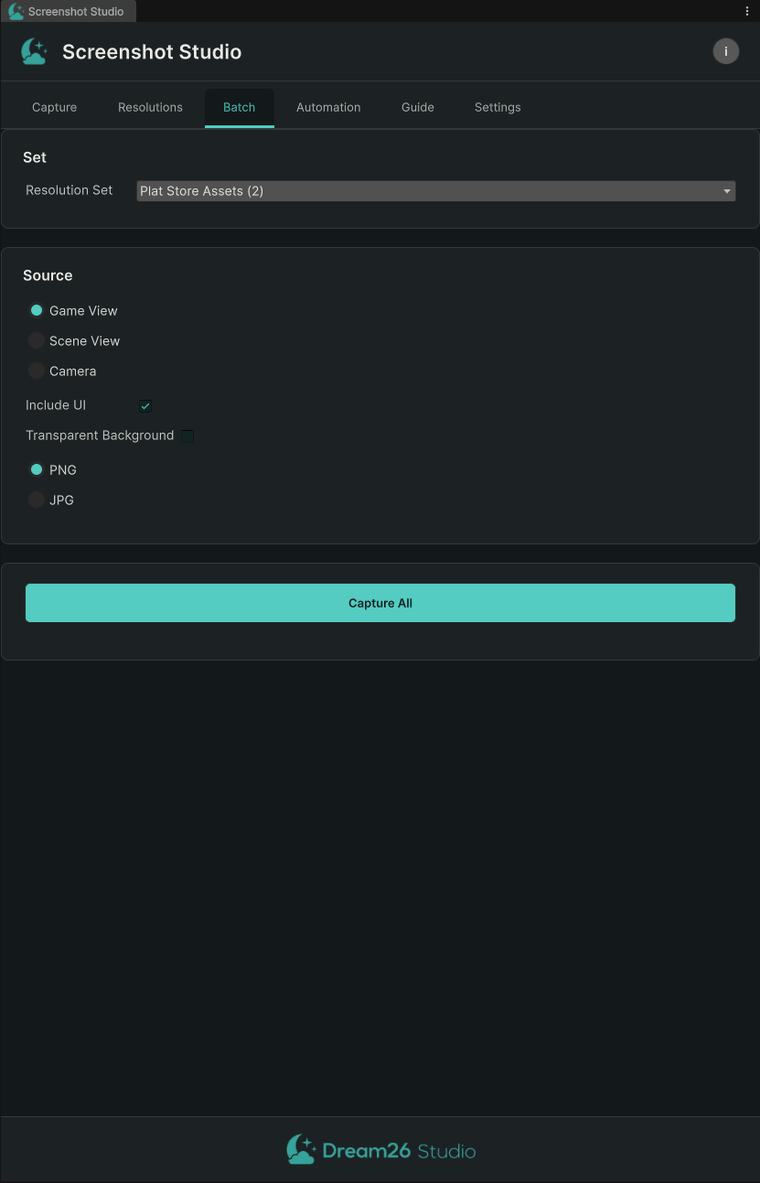
Screenshot Studio Batch tab: pick a Resolution Set and Capture All
Pick a Resolution Set, press Capture All. Every size renders correctly — UI included, laid out as it should be.
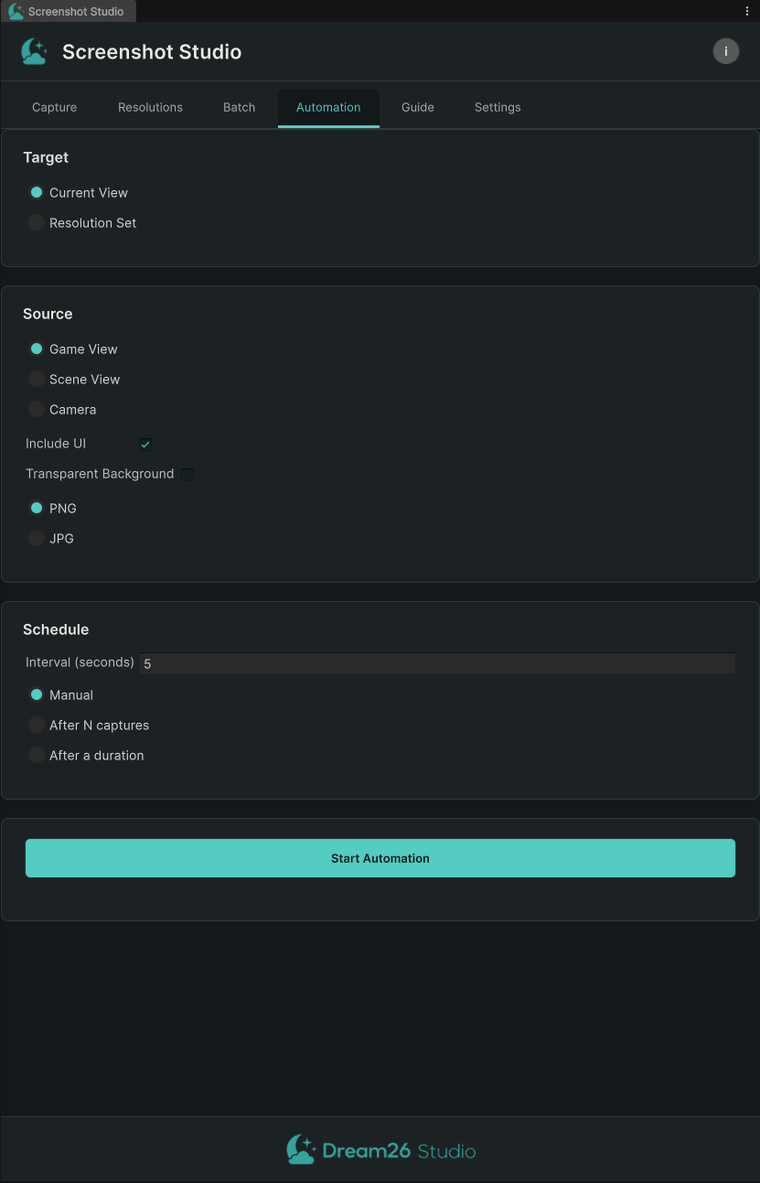
Screenshot Studio Automation tab: capture on a timer with configurable stop conditions
Capture on a timer, in Edit Mode or Play Mode, stopping manually, after N captures, or after a fixed duration.
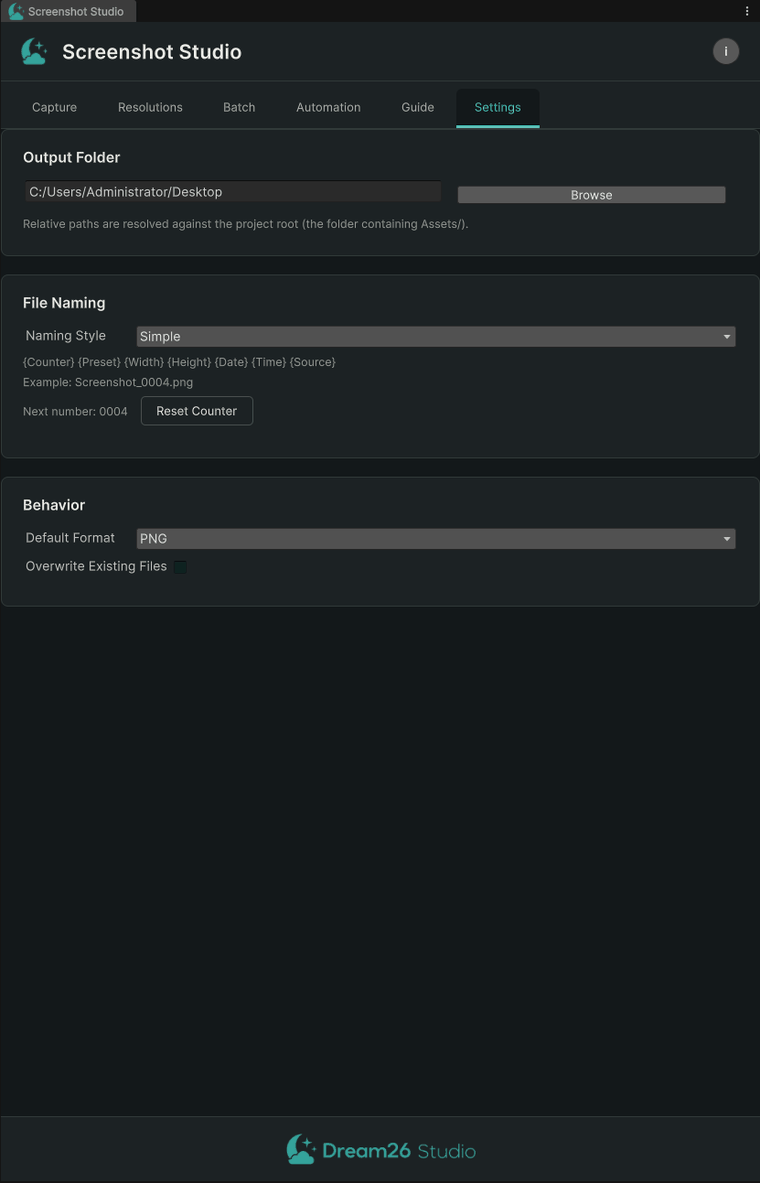
Screenshot Studio Settings tab: output folder, naming templates and file format
Custom filename tokens, output location, default format and overwrite behaviour — all in one place.
  • No manual camera setup. Transparency and UI inclusion work automatically — no clear flags, no layer juggling.
  • Pixel-accurate at any size. The Game View is genuinely resized, so Screen Space UI lays out correctly at every resolution.
  • Built for repetition. Named resolutions, Sets, Batch and Automation turn a full screenshot library into minutes of setup.
  • Clean, native Editor UI. Theme-aware for both Unity skins, with an in-tool Guide explaining every feature.

Heading to the Unity Asset Store. Want early access, or have a screenshot workflow you'd like it to cover? Get in touch.

Next up

Mobile Release Kit

One editor window for everything standing between a finished Unity build and a live store listing. Built because shipping to Google Play means repeating the same manual checks, forms and exports on every single release.

  • Build size diff — compare any two builds asset by asset and see exactly what made the last one bigger
  • Data Safety sheet — scan the SDKs and permissions actually present and generate the Play Console answers
  • Store listing capture — screenshots at every required store resolution, straight from the editor
  • Pre-submission checklist — one pass/fail list before the upload, not after the rejection
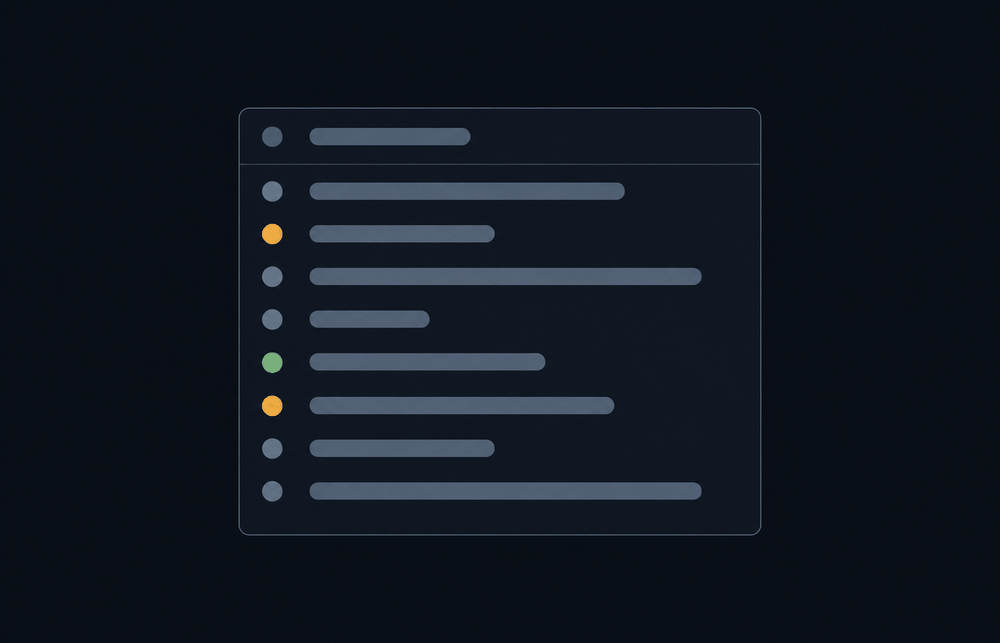
Mobile Release Kit concept: a checklist panel with pass, warning and fail status indicators
Support

Built to be maintained

Every tool ships with documentation, a dated changelog and a stated list of supported Unity versions. Compatibility updates follow Unity's releases, not our convenience.

Roadmap

A steady schedule, not a burst

One tool at a time, each solving a real problem well before the next one starts. Nothing shipped half-finished to hit a release date.

Capabilities

What we work with.

Three years of professional Unity development across virtual reality, mixed reality and mobile — shipped to Meta Quest, Steam and Google Play, including store certification and compliance on each.

Engines & platforms

  • Unity 2D & 3D (C#)
  • Meta Quest 2 & 3 — VR / MR
  • OpenXR · Meta XR SDK
  • Steam · Steamworks SDK
  • Android · Google Play

Engineering

  • C# scripting & OOP design
  • SOLID principles & design patterns
  • Editor tooling & build pipelines
  • Profiling & optimisation
  • Git version control

Shipping

  • Store certification & compliance
  • AdMob, IAP & analytics integration
  • Live title maintenance
  • Sprint planning & code review
  • Cross-platform release management
Approach

How we build.

Four commitments that decide what we ship and what we refuse to.

  1. Nothing hidden before purchase

    Every dependency, external service and known limitation is stated on the product page, before you buy — not discovered afterwards in a documentation footnote.

  2. Fail loudly, never silently

    When a tool cannot handle your setup it says so in the editor, clearly. The worst thing a tool can do is quietly produce a wrong result and let you debug it for an hour.

  3. Tested on real projects

    Tools are tested against large, messy, long-lived projects — not only the clean demo scene where everything works.

  4. Answered by the person who wrote it

    Support goes to the developer, not a ticket queue. Bug reports get a real answer, and reviews get a real reply.

Contact

Get in touch.

Tool support, bug reports, feature requests and enquiries all reach the same inbox — and the person who wrote the code answers them.

Email

Support, questions and enquiries.

[email protected]

Replies within one business day.

Studio

Dream26 Studio is an independent game technology studio working on Unity editor tooling.

India · IST (UTC+5:30)